
How I Built My First App Prototype (With No Coding)
- Destiny Fullerton
- Apr 6
- 2 min read

When I first started my senior honors project at Mount Vernon Nazarene University, I wasn’t trying to build an app—I was trying to solve a problem. At least, that’s what the prompt called for. As a senior in the Honors Program, I was tasked with creating a project that connected my major to a real-world issue I had personally observed. I immediately knew I wanted to focus on small church media volunteers—this demographic is often overworked, undertrained, and underappreciated. I wanted to understand why.
That question turned into a full UX research and UI design project—and eventually, a working app prototype.
The Problem I Couldn't Ignore
Through my user research, I discovered that many church media volunteers are self-taught. They’re responsible for slides, social media posts, flyers, and more—all while juggling other responsibilities. The result? Frustration, wasted time, and often designs they weren’t confident in.
My first thought was: why don’t churches just use Canva? It offers ready-made templates that seem like they would solve the problem. But templates can only go so far. In most cases, unless a template is exactly what you need, it requires adjustments—adjustments that require design knowledge. Without that knowledge, a template can be easily misused or weakened.
I kept thinking: What if there was a tool that didn’t just give users templates, but actually helped them design better?
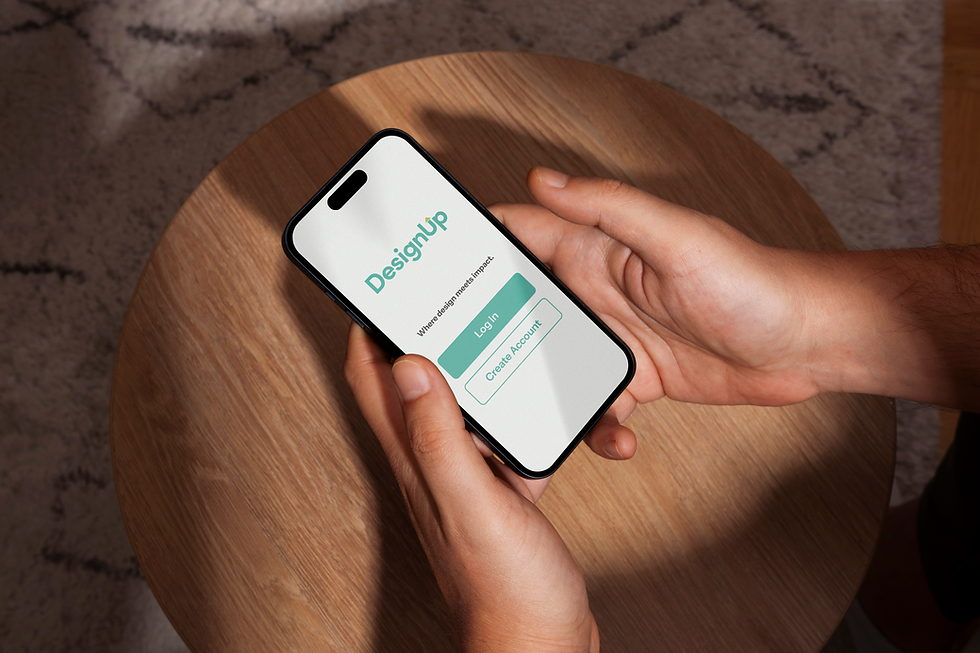
That idea became the foundation for my app: DesignUp.
Starting With Research, Not Assumptions
Before I started designing anything, I needed to fully understand the problems church media volunteers were facing. To do this, I conducted:
73 surveys
5 one-on-one interviews
3 usability tests
Using tools like Google Forms and Zoom, I gathered insights from volunteers across the country.
What I found was consistent:
Design felt overwhelming
Tasks were time-consuming
Many lacked formal training
Templates alone weren’t enough
This phase completely shaped my direction. Instead of guessing what users needed, I had real data guiding every decision.
Defining the Solution
From this research, I developed a user persona: a self-taught volunteer juggling multiple responsibilities. This led me to design DesignUp, an app that guides users through the design process instead of just giving them templates.

Designing the Prototype
Using Figma, I moved from sketches to wireframes to a high-fidelity prototype. The app allows users to:
Select a project category
Access quick tips and step-by-step
Learn as they create

Testing and Feedback
I completed user testing, both digitally and in-person, with 3 users who had never interacted with DesignUp. User testing revealed both strengths and weaknesses in the app. While users could complete basic tasks easily, some struggled with small buttons and confusing navigation. These insights helped me understand how small design decisions impact usability.
What I Learned and Next Steps...
This project showed me that design is more than visuals—it’s about creating something that works for real people. Research, testing, and iteration were essential at every step.
As DesignUp is still in the prototyping phase, I will continue to refine usability, expand features, and explore development beyond prototyping.
Comments